4.4 Extension 3: Split Loads
Accompanying Workbook: olm_extension_3.xlsx
As Opturion Fuel expand, they are contracted to make deliveries to an additional site.
The planners identify a delivery sequence that services “Site 1” first before continuing to “Site 2”. This sequence is expressed in Table 4 by the order in which the site appears in the table.
| Id | Weight Scheme |
| Site 1 | WS1 |
| Site 2 | WS1 |
| Id | Site | Product | Target Volume | Maximum Volume | Minimum Compartment Volume |
| Order 1 | Site 1 | ULP | 26,550 | 35,000 | 3,600 |
| Order 2 | Site 2 | Diesel | 10,000 | 11,000 | 3,600 |
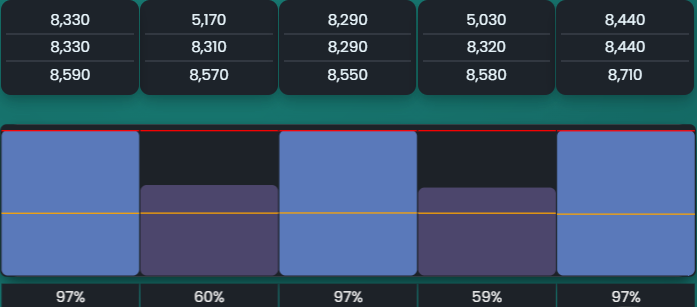
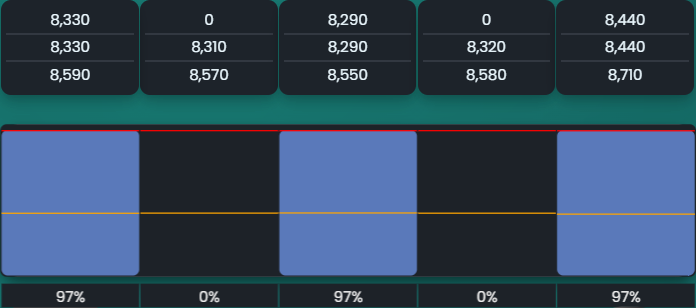
Re-running the optimiser with this new site and order produces the compartment volumes seen in Figure 21. There are now two colours used in the visualisation, each indicating a different order. Figure 20a shows the compartment profile when the vehicle arrives at “Site 1”. Selecting “Site 2” from the Site Summary lets you to view the profile for “Site 2”. This is shown in Figure 21.
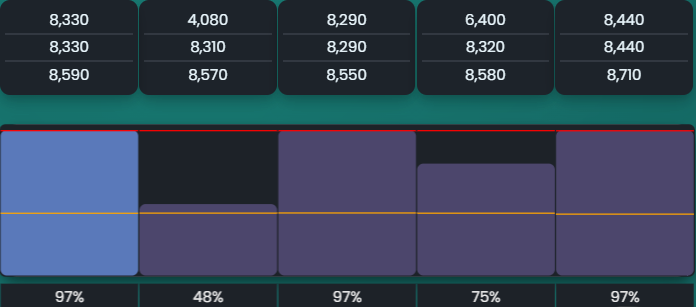
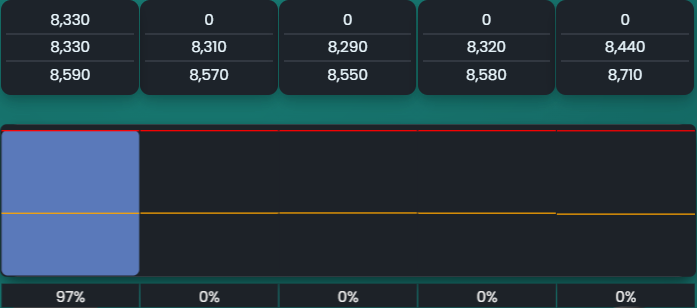
As described in Site Summary, the order in which the sites are visited can be modified via the user interface. The effects of reversing the site order can be seen in Figure 22.